Feedback Analyser
Jonathan Constantine · 2026-06-04T08:00:34.578+00:00
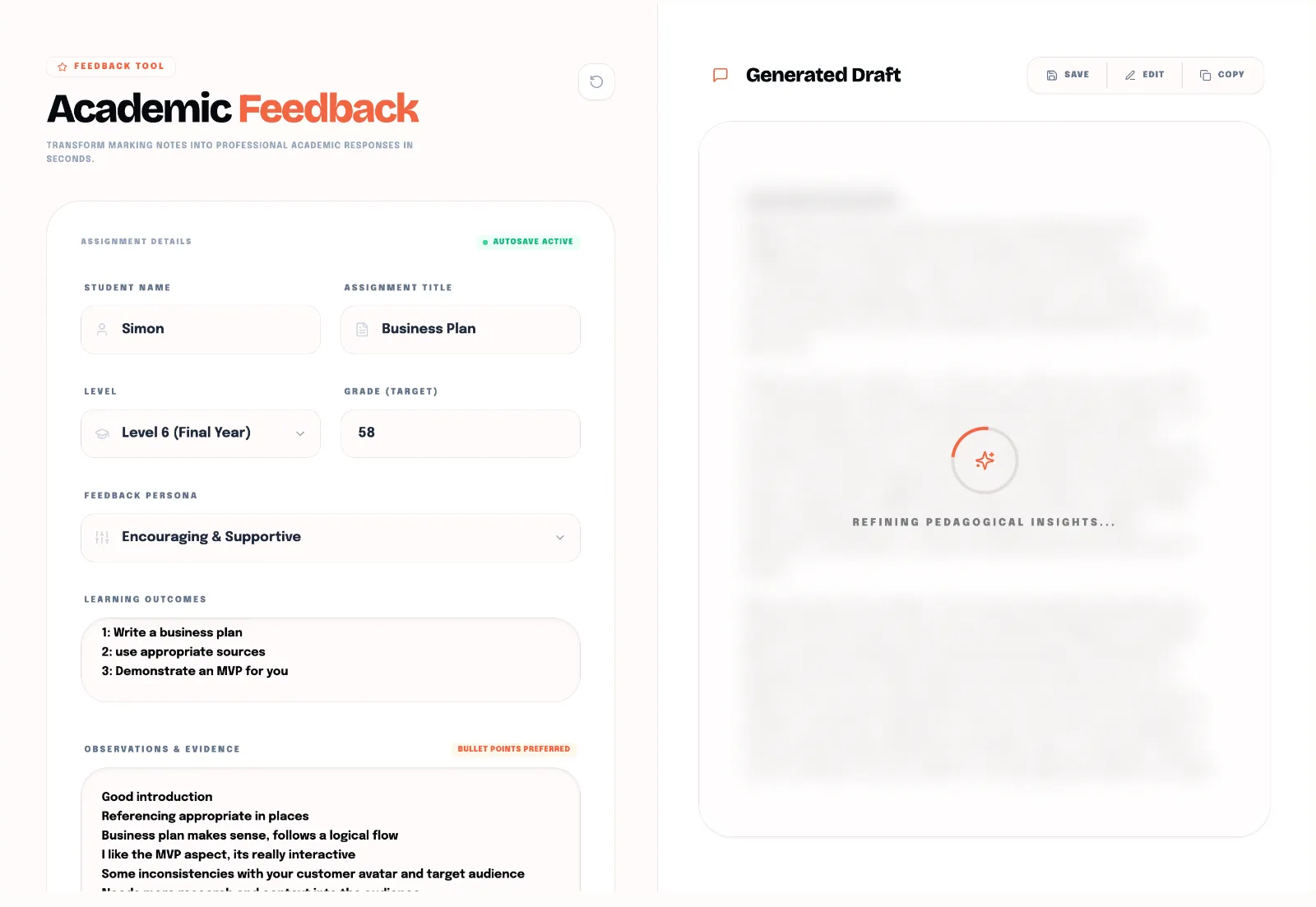
I’ve probably used this specific tool more than anything else in Pedagogo over the past month.
When it comes to grading, deciding on the mark usually isn't the hard part. You know what a 2:1 looks like, and you know when an assignment is barely scraping a pass. Where I always used to struggle was the actual wording of the feedback—specifically, how to be constructive without getting caught up in trying to over-explain my reasoning.
It takes a massive amount of cognitive energy to read a piece of work, identify the flaws, and then phrase your critique in a way that is professional, supportive, and pedagogically sound. Especially when you're 25 essays deep and it's getting late. You find yourself staring at the screen trying to figure out how to politely say:
"You haven't backed up a single argument with a credible source, and if you're writing about the global music industry"
and
Maybe the Roscommon Herald probably isn't the best place to look for news on Taylor Swift."
By the time you've spent ten minutes agonizing over the wording for one student, you realise you've still got 15 more to go before you can close your laptop.
Presentations
My real "Ah-ha" moment with this tool didn't happen while grading essays at my desk. It happened during in person presentations in January. If you've ever sat in a room marking student presentations for eight hours straight, you know the score. There is no time between presentations to type formal feedback into Canvas. If you wait until the end of the day, all the presentations blur into one and you can’t fully remember who said what. I had made notes in Word following a tracker but by the time I got to actually formalising my notes, I couldn't remember all of the presentations or expand on my inital notes. I could watch the presentations back via panopto, but that would take another few hours.
Last time I was in this position, I just scribbled down quick, raw bullet points on my notepad during the live presentations—things like: referencing isn’t following the correct format, arguments aren’t backed up by sources, change the Taylor Swift source. Afterwards, instead of spending hours trying to translate those frantic, shorthand notes into professional paragraphs, I just fed the raw notes and the module learning outcomes into Pedagogo. Ped took those messy bullet points and instantly structured them into formalised, constructive feedback that aligned with the rubrics.
It meant I got all my marking submitted on time without the usual post-presentation headache. In fact, it's so fast that one of my colleagues was actually able to process and submit their student feedback using Ped while they were away out on tour.
There are two ways you can use it. You can just drop your raw notes in like I did, or you can upload examples of your previous feedback across different grading boundaries (Fail, Pass, Merit, Distinction) so Ped can learn your specific writing style and tone.
Either way, you aren't spending your evenings agonizing over sentence structure or trying to rewrite your thoughts to sound more "academic." You just give Ped the raw truths from your grading sessions, and he handles the emotional heavy lifting of formatting it properly
It keeps your feedback consistent, it keeps it professional, and most importantly, it stops grading from swallowing your entire week.
If you've got a pile of assignments or a marathon session of presentations looming, drop your learning outcomes and your rough notes into Pedagogo and let Ped do the drafting for you.